
 Your community, in one place
 354 executions
 12,817 scripts
 116 users
 Mobile Friendly

 Save
Save



 Follow
 Play
Play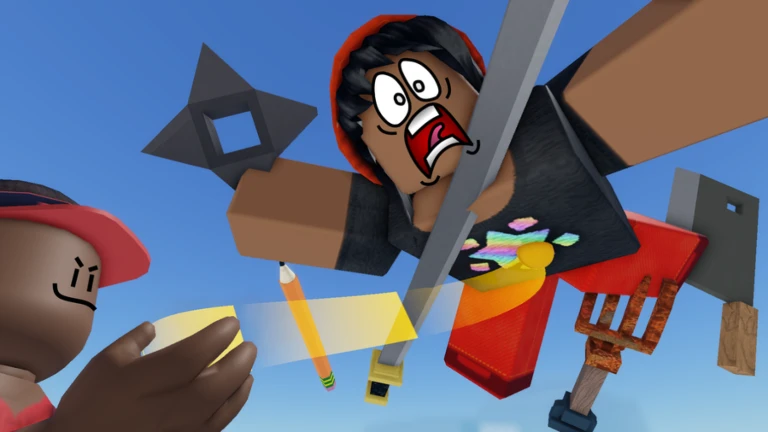 00Mobile
M
ANONIM HUB PREMİUM
MaxLegendsOwnerThe owner of BloxScripts.fun.Early CreatorPublish a script as one of the first 100 accounts.·Fling Things and People
By lanonimll · Rscripts
 BloxScripts.fun
When u execute the script there is an big icon/box and there is the cheats inside, the silent aim, kick people, anti grab, etc,.
-- [[ BloxScripts Risk Notice ]]
-- This script has not been verified by BloxScripts.fun. Deal with caution.
--
-- Stay safe:
--   • Never log in on unofficial Roblox sites or lookalike domains.
--   • Real Roblox links use roblox.com (check the .com ending).
--   • Treat fake Roblox login / "claim reward" pages as phishing.
-- [[ End BloxScripts Risk Notice ]]

-- UI ONLY - NO KICK/FLING FUNCTION

local Players = game:GetService("Players")
local LocalPlayer = Players.LocalPlayer

-- Remove old UI if it exists
local old = game:GetService("CoreGui"):FindFirstChild("MyScriptUI")
if old then
	old:Destroy()
end

local gui = Instance.new("ScreenGui")
gui.Name = "MyScriptUI"
gui.ResetOnSpawn = false
gui.IgnoreGuiInset = true
gui.Parent = game:GetService("CoreGui")

-- Main window
local main = Instance.new("Frame")
main.Parent = gui
main.Size = UDim2.new(0, 420, 0, 300)
main.Position = UDim2.new(0.5, -210, 0.5, -150)
main.BackgroundColor3 = Color3.fromRGB(20, 20, 20)
main.BackgroundTransparency = 0.12
main.BorderSizePixel = 0

local corner = Instance.new("UICorner")
corner.CornerRadius = UDim.new(0, 14)
corner.Parent = main

-- Top bar
local top = Instance.new("Frame")
top.Parent = main
top.Size = UDim2.new(1, 0, 0, 45)
top.BackgroundTransparency = 1

-- Title
local title = Instance.new("TextLabel")
title.Parent = top
title.Size = UDim2.new(1, -55, 1, 0)
title.Position = UDim2.new(0, 15, 0, 0)
title.BackgroundTransparency = 1
title.Text = "MY SCRIPT"
title.TextColor3 = Color3.new(1, 1, 1)
title.TextSize = 20
title.Font = Enum.Font.GothamBold
title.TextXAlignment = Enum.TextXAlignment.Left

-- X button
local close = Instance.new("TextButton")
close.Parent = top
close.Size = UDim2.new(0, 40, 0, 40)
close.Position = UDim2.new(1, -45, 0, 3)
close.BackgroundTransparency = 1
close.Text = "×"
close.TextColor3 = Color3.new(1, 1, 1)
close.TextSize = 28
close.Font = Enum.Font.GothamBold

-- Content
local content = Instance.new("Frame")
content.Parent = main
content.Position = UDim2.new(0, 15, 0, 55)
content.Size = UDim2.new(1, -30, 1, -65)
content.BackgroundTransparency = 1

-- Kick Peoples button
local kickPeoples = Instance.new("TextButton")
kickPeoples.Parent = content
kickPeoples.Size = UDim2.new(1, 0, 0, 48)
kickPeoples.Position = UDim2.new(0, 0, 0, 5)
kickPeoples.BackgroundColor3 = Color3.fromRGB(35, 35, 35)
kickPeoples.Text = "Kick Peoples"
kickPeoples.TextColor3 = Color3.new(1, 1, 1)
kickPeoples.TextSize = 17
kickPeoples.Font = Enum.Font.GothamBold
kickPeoples.BorderSizePixel = 0

local kickCorner = Instance.new("UICorner")
kickCorner.CornerRadius = UDim.new(0, 8)
kickCorner.Parent = kickPeoples

-- Player selection area
local playerArea = Instance.new("Frame")
playerArea.Parent = content
playerArea.Position = UDim2.new(0, 0, 0, 65)
playerArea.Size = UDim2.new(1, 0, 0, 170)
playerArea.BackgroundTransparency = 1
playerArea.Visible = false

-- Choose Player label
local chooseLabel = Instance.new("TextLabel")
chooseLabel.Parent = playerArea
chooseLabel.Size = UDim2.new(1, 0, 0, 35)
chooseLabel.BackgroundTransparency = 1
chooseLabel.Text = "Choose a Player"
chooseLabel.TextColor3 = Color3.new(1, 1, 1)
chooseLabel.TextSize = 17
chooseLabel.Font = Enum.Font.GothamBold
chooseLabel.TextXAlignment = Enum.TextXAlignment.Left

-- Player dropdown
local dropdown = Instance.new("TextButton")
dropdown.Parent = playerArea
dropdown.Position = UDim2.new(0, 0, 0, 40)
dropdown.Size = UDim2.new(1, 0, 0, 42)
dropdown.BackgroundColor3 = Color3.fromRGB(35, 35, 35)
dropdown.Text = "Select Player ▼"
dropdown.TextColor3 = Color3.new(1, 1, 1)
dropdown.TextSize = 16
dropdown.Font = Enum.Font.Gotham
dropdown.BorderSizePixel = 0

local dropCorner = Instance.new("UICorner")
dropCorner.CornerRadius = UDim.new(0, 8)
dropCorner.Parent = dropdown

-- Player list
local playerList = Instance.new("ScrollingFrame")
playerList.Parent = playerArea
playerList.Position = UDim2.new(0, 0, 0, 87)
playerList.Size = UDim2.new(1, 0, 0, 80)
playerList.BackgroundColor3 = Color3.fromRGB(25, 25, 25)
playerList.BorderSizePixel = 0
playerList.ScrollBarThickness = 5
playerList.Visible = false
playerList.CanvasSize = UDim2.new(0, 0, 0, 0)

local listCorner = Instance.new("UICorner")
listCorner.CornerRadius = UDim.new(0, 8)
listCorner.Parent = playerList

local listLayout = Instance.new("UIListLayout")
listLayout.Parent = playerList
listLayout.SortOrder = Enum.SortOrder.Name
listLayout.Padding = UDim.new(0, 3)

-- Kick button
local kickButton = Instance.new("TextButton")
kickButton.Parent = playerArea
kickButton.Position = UDim2.new(0, 0, 0, 120)
kickButton.Size = UDim2.new(1, 0, 0, 45)
kickButton.BackgroundColor3 = Color3.fromRGB(150, 40, 40)
kickButton.Text = "KICK"
kickButton.TextColor3 = Color3.new(1, 1, 1)
kickButton.TextSize = 17
kickButton.Font = Enum.Font.GothamBold
kickButton.BorderSizePixel = 0

local kickButtonCorner = Instance.new("UICorner")
kickButtonCorner.CornerRadius = UDim.new(0, 8)
kickButtonCorner.Parent = kickButton

-- Floating collapsed button
local mini = Instance.new("TextButton")
mini.Parent = gui
mini.Size = UDim2.new(0, 65, 0, 65)
mini.Position = UDim2.new(0.5, -32, 0, 8)
mini.BackgroundColor3 = Color3.fromRGB(10, 10, 10)
mini.BackgroundTransparency = 0.15
mini.Text = "≡"
mini.TextColor3 = Color3.new(1, 1, 1)
mini.TextSize = 30
mini.Font = Enum.Font.GothamBold
mini.Visible = false
mini.BorderSizePixel = 0

local miniCorner = Instance.new("UICorner")
miniCorner.CornerRadius = UDim.new(1, 0)
miniCorner.Parent = mini

-- Selected player
local selectedPlayer = nil

-- Refresh players
local function refreshPlayers()
	for _, child in ipairs(playerList:GetChildren()) do
		if child:IsA("TextButton") then
			child:Destroy()
		end
	end

	for _, player in ipairs(Players:GetPlayers()) do
		local button = Instance.new("TextButton")
		button.Parent = playerList
		button.Size = UDim2.new(1, -6, 0, 32)
		button.BackgroundColor3 = Color3.fromRGB(40, 40, 40)
		button.Text = player.Name
		button.TextColor3 = Color3.new(1, 1, 1)
		button.TextSize = 14
		button.Font = Enum.Font.Gotham
		button.BorderSizePixel = 0

		local c = Instance.new("UICorner")
		c.CornerRadius = UDim.new(0, 6)
		c.Parent = button

		button.MouseButton1Click:Connect(function()
			selectedPlayer = player
			dropdown.Text = player.Name
			playerList.Visible = false
		end)
	end

	playerList.CanvasSize = UDim2.new(0, 0, 0, listLayout.AbsoluteContentSize.Y + 5)
end

-- Open menu
kickPeoples.MouseButton1Click:Connect(function()
	playerArea.Visible = not playerArea.Visible

	if playerArea.Visible then
		refreshPlayers()
	end
end)

-- Dropdown
dropdown.MouseButton1Click:Connect(function()
	playerList.Visible = not playerList.Visible

	if playerList.Visible then
		refreshPlayers()
	end
end)

-- X = collapse
close.MouseButton1Click:Connect(function()
	main.Visible = false
	mini.Visible = true
end)

-- Mini button = reopen
mini.MouseButton1Click:Connect(function()
	mini.Visible = false
	main.Visible = true
end)

-- KICK button
kickButton.MouseButton1Click:Connect(function()
	if selectedPlayer then
		-- Intentionally left non-functional.
		-- Actual kicking should be handled by your own game's server.
		dropdown.Text = selectedPlayer.Name .. " selected"
	else
		dropdown.Text = "Choose a player first"
	end
end)

-- Keep player list updated
Players.PlayerAdded:Connect(refreshPlayers)
Players.PlayerRemoving:Connect(function(player)
	if selectedPlayer == player then
		selectedPlayer = nil
		dropdown.Text = "Select Player ▼"
	end

	refreshPlayers()
end)
Review the source before using it. Executions count successful copies, capped at 10 per user and network per script in 24 hours.
00Mobile000000