
 Your community, in one place
 354 executions
 12,919 scripts
 116 users
 Mobile Friendly

 Save
Save



 Follow
 00
00M
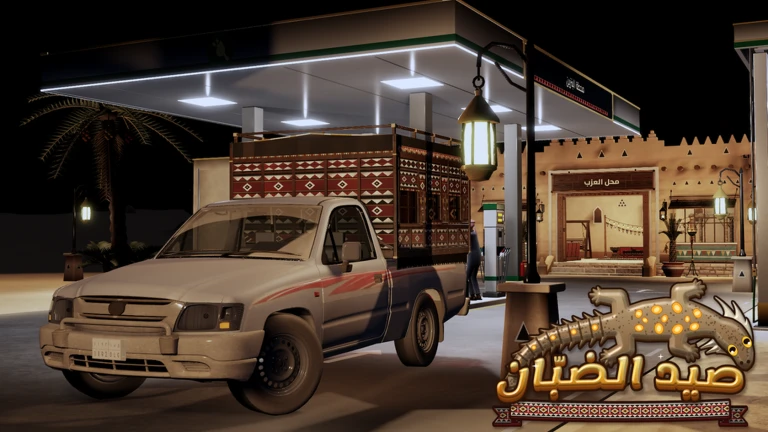
صيد الضبّان | Auto-play, Auto-farm, Aimbot, ESP
MaxLegendsOwnerThe owner of BloxScripts.fun.Early CreatorPublish a script as one of the first 100 accounts.·صيد الضبّان
By choco289x · Rscripts
 BloxScripts.fun
HELLO ITS ME THIRDY, BEGINNING OF MAKING SCIRPT LIKE THIS I THINK IS THE WORSE SCIRPT EVER LOL
-- [[ BloxScripts Risk Notice ]]
-- This script has not been verified by BloxScripts.fun. Deal with caution.
--
-- Stay safe:
--   • Never log in on unofficial Roblox sites or lookalike domains.
--   • Real Roblox links use roblox.com (check the .com ending).
--   • Treat fake Roblox login / "claim reward" pages as phishing.
-- [[ End BloxScripts Risk Notice ]]


-- NEON CONTROL PANEL
-- LocalScript in StarterPlayer > StarterPlayerScripts
-- UI + FOV + crosshair target-selection demo
-- Intended for a Roblox experience you control.

local Players = game:GetService("Players")
local UIS = game:GetService("UserInputService")
local RunService = game:GetService("RunService")

local player = Players.LocalPlayer
local camera = workspace.CurrentCamera
local guiParent = player:WaitForChild("PlayerGui")

local old = guiParent:FindFirstChild("NeonPanel")
if old then old:Destroy() end

local BLUE = Color3.fromRGB(0, 190, 255)
local DARK = Color3.fromRGB(10, 16, 31)
local PANEL = Color3.fromRGB(20, 30, 50)
local WHITE = Color3.fromRGB(240, 247, 255)

local settings = {
    FOV = 60,
    Smoothness = 30,
    Speed = 16,
    AimAssist = false,
    WallCheck = true,
    KillCheck = false,
    PlayerMarkers = true,
    ShowNames = true,
    InfiniteJumpDemo = false,
    NoclipDemo = false,
}

local gui = Instance.new("ScreenGui")
gui.Name = "NeonPanel"
gui.ResetOnSpawn = false
gui.IgnoreGuiInset = true
gui.DisplayOrder = 20
gui.Parent = guiParent

-- Visible FOV ring
local ring = Instance.new("Frame")
ring.Name = "FOVRing"
ring.AnchorPoint = Vector2.new(0.5, 0.5)
ring.Position = UDim2.fromScale(0.5, 0.5)
ring.Size = UDim2.fromOffset(settings.FOV * 3, settings.FOV * 3)
ring.BackgroundTransparency = 1
ring.Parent = gui

Instance.new("UICorner", ring).CornerRadius = UDim.new(1, 0)

local ringStroke = Instance.new("UIStroke")
ringStroke.Color = BLUE
ringStroke.Thickness = 2
ringStroke.Parent = ring

local function updateRing()
    ring.Size = UDim2.fromOffset(settings.FOV * 3, settings.FOV * 3)
end

-- Main panel
local main = Instance.new("Frame")
main.Name = "Main"
main.Size = UDim2.new(0.88, 0, 0, 400)
main.Position = UDim2.new(0.06, 0, 0.16, 0)
main.BackgroundColor3 = DARK
main.BorderSizePixel = 0
main.Active = true
main.Parent = gui

local limit = Instance.new("UISizeConstraint")
limit.MinSize = Vector2.new(280, 350)
limit.MaxSize = Vector2.new(520, 520)
limit.Parent = main

Instance.new("UICorner", main).CornerRadius = UDim.new(0, 14)

local border = Instance.new("UIStroke")
border.Color = BLUE
border.Thickness = 2
border.Parent = main

local header = Instance.new("Frame")
header.Size = UDim2.new(1, 0, 0, 45)
header.BackgroundColor3 = PANEL
header.BorderSizePixel = 0
header.Active = true
header.Parent = main

local title = Instance.new("TextLabel")
title.Size = UDim2.new(1, -100, 1, 0)
title.Position = UDim2.fromOffset(12, 0)
title.BackgroundTransparency = 1
title.Text = "NEON CONTROL"
title.TextColor3 = BLUE
title.Font = Enum.Font.GothamBold
title.TextSize = 16
title.TextXAlignment = Enum.TextXAlignment.Left
title.Parent = header

local function button(parent, text, size, pos)
    local b = Instance.new("TextButton")
    b.Size = size
    b.Position = pos
    b.BackgroundColor3 = PANEL
    b.TextColor3 = WHITE
    b.Text = text
    b.Font = Enum.Font.GothamBold
    b.TextSize = 12
    b.BorderSizePixel = 0
    b.Parent = parent
    Instance.new("UICorner", b).CornerRadius = UDim.new(0, 7)
    return b
end

local minimize = button(
    header, "—", UDim2.fromOffset(34, 30),
    UDim2.new(1, -76, 0, 7)
)
local close = button(
    header, "×", UDim2.fromOffset(34, 30),
    UDim2.new(1, -38, 0, 7)
)

-- Dragging helper (mouse and touch)
local function makeDraggable(object, handle)
    local dragging = false
    local startPos, startInput
    local activeTouch

    handle.InputBegan:Connect(function(input)
        if input.UserInputType == Enum.UserInputType.MouseButton1
        or input.UserInputType == Enum.UserInputType.Touch then
            dragging = true
            startPos = object.Position
            startInput = input.Position
            activeTouch = input.UserInputType == Enum.UserInputType.Touch
                and input or nil
        end
    end)

    UIS.InputChanged:Connect(function(input)
        if not dragging then return end

        if input.UserInputType == Enum.UserInputType.MouseMovement
        or input == activeTouch then
            local delta = input.Position - startInput
            object.Position = UDim2.new(
                startPos.X.Scale, startPos.X.Offset + delta.X,
                startPos.Y.Scale, startPos.Y.Offset + delta.Y
            )
        end
    end)

    UIS.InputEnded:Connect(function(input)
        if input.UserInputType == Enum.UserInputType.MouseButton1
        or input == activeTouch then
            dragging = false
            activeTouch = nil
        end
    end)
end

makeDraggable(main, header)

local reopen = button(
    gui, "OPEN MENU", UDim2.fromOffset(125, 42),
    UDim2.new(0, 15, 0.15, 0)
)
reopen.Visible = false
reopen.Active = true

local hidden = false
local function hideMenu()
    main.Visible = false
    reopen.Visible = true
    hidden = true
end

minimize.Activated:Connect(hideMenu)
close.Activated:Connect(hideMenu)
reopen.Activated:Connect(function()
    main.Visible = true
    reopen.Visible = false
    hidden = false
end)

-- Draggable reopen button
makeDraggable(reopen, reopen)

-- Tabs and pages
local tabs = Instance.new("Frame")
tabs.Size = UDim2.new(1, -16, 0, 36)
tabs.Position = UDim2.fromOffset(8, 52)
tabs.BackgroundTransparency = 1
tabs.Parent = main

local tabLayout = Instance.new("UIListLayout")
tabLayout.FillDirection = Enum.FillDirection.Horizontal
tabLayout.Padding = UDim.new(0, 5)
tabLayout.Parent = tabs

local content = Instance.new("Frame")
content.Size = UDim2.new(1, -16, 1, -98)
content.Position = UDim2.fromOffset(8, 92)
content.BackgroundColor3 = PANEL
content.BorderSizePixel = 0
content.Parent = main
Instance.new("UICorner", content).CornerRadius = UDim.new(0, 8)

local pages = {}

local function newPage(name)
    local page = Instance.new("ScrollingFrame")
    page.Name = name
    page.Size = UDim2.new(1, -12, 1, -12)
    page.Position = UDim2.fromOffset(6, 6)
    page.BackgroundTransparency = 1
    page.BorderSizePixel = 0
    page.ScrollBarThickness = 4
    page.AutomaticCanvasSize = Enum.AutomaticSize.Y
    page.CanvasSize = UDim2.new()
    page.Visible = false
    page.Parent = content

    local layout = Instance.new("UIListLayout")
    layout.Padding = UDim.new(0, 7)
    layout.Parent = page

    pages[name] = page
    return page
end

local function switchPage(name)
    for pageName, page in pairs(pages) do
        page.Visible = pageName == name
    end
    ring.Visible = name == "AIMBOT"
    for _, item in ipairs(tabs:GetChildren()) do
        if item:IsA("TextButton") then
            item.BackgroundColor3 = item.Name == name and BLUE or DARK
        end
    end
end

local function addTab(name)
    local b = button(
        tabs, name, UDim2.new(1/3, -4, 1, 0), UDim2.new()
    )
    b.Name = name
    b.Activated:Connect(function()
        switchPage(name)
    end)
end

local function addToggle(page, label, key, default)
    settings[key] = default

    local b = button(
        page, "", UDim2.new(1, -4, 0, 38), UDim2.new()
    )

    local function refresh()
        b.Text = label .. ": " .. (settings[key] and "ON" or "OFF")
        b.BackgroundColor3 = settings[key]
            and Color3.fromRGB(0, 85, 130) or DARK
    end

    b.Activated:Connect(function()
        settings[key] = not settings[key]
        refresh()
    end)
    refresh()
end

local function addSlider(page, label, key, min, max, default)
    settings[key] = default

    local holder = Instance.new("Frame")
    holder.Size = UDim2.new(1, -4, 0, 62)
    holder.BackgroundTransparency = 1
    holder.Parent = page

    local txt = Instance.new("TextLabel")
    txt.Size = UDim2.new(1, 0, 0, 24)
    txt.BackgroundTransparency = 1
    txt.TextColor3 = WHITE
    txt.Font = Enum.Font.Gotham
    txt.TextSize = 13
    txt.TextXAlignment = Enum.TextXAlignment.Left
    txt.Parent = holder

    local track = Instance.new("TextButton")
    track.Size = UDim2.new(1, 0, 0, 18)
    track.Position = UDim2.fromOffset(0, 32)
    track.BackgroundColor3 = DARK
    track.Text = ""
    track.AutoButtonColor = false
    track.Parent = holder
    Instance.new("UICorner", track).CornerRadius = UDim.new(1, 0)

    local fill = Instance.new("Frame")
    fill.BackgroundColor3 = BLUE
    fill.BorderSizePixel = 0
    fill.Parent = track
    Instance.new("UICorner", fill).CornerRadius = UDim.new(1, 0)

    local function refresh()
        local value = settings[key]
        local ratio = (value - min) / (max - min)
        txt.Text = label .. ": " .. value
        fill.Size = UDim2.new(ratio, 0, 1, 0)
        if key == "FOV" then updateRing() end
    end

    local function updateFromX(x)
        local width = track.AbsoluteSize.X
        if width <= 0 then return end
        local ratio = math.clamp(
            (x - track.AbsolutePosition.X) / width, 0, 1
        )
        settings[key] = math.floor(min + ratio * (max - min) + 0.5)
        refresh()
    end

    local dragging = false
    local touchInput

    track.InputBegan:Connect(function(input)
        if input.UserInputType == Enum.UserInputType.MouseButton1 then
            dragging = true
            updateFromX(input.Position.X)
        elseif input.UserInputType == Enum.UserInputType.Touch then
            dragging = true
            touchInput = input
            updateFromX(input.Position.X)
        end
    end)

    UIS.InputChanged:Connect(function(input)
        if not dragging then return end
        if input.UserInputType == Enum.UserInputType.MouseMovement
        or input == touchInput then
            updateFromX(input.Position.X)
        end
    end)

    UIS.InputEnded:Connect(function(input)
        if input.UserInputType == Enum.UserInputType.MouseButton1
        or input == touchInput then
            dragging = false
            touchInput = nil
        end
    end)

    refresh()
end

-- Pages
addTab("AIMBOT")
addTab("VISUAL")
addTab("MOVEMENT")

local aim = newPage("AIMBOT")
addSlider(aim, "FOV", "FOV", 1, 120, 60)
addSlider(aim, "Smoothness", "Smoothness", 1, 120, 30)
addToggle(aim, "Aim Assist Demo", "AimAssist", false)
addToggle(aim, "Wall Check", "WallCheck", true)
addToggle(aim, "Kill Check", "KillCheck", false)

local visual = newPage("VISUAL")
addToggle(visual, "Player Markers", "PlayerMarkers", true)
addToggle(visual, "Show Names", "ShowNames", true)

local movement = newPage("MOVEMENT")
addSlider(movement, "Speed", "Speed", 1, 500, 16)
addToggle(movement, "Infinite Jump Demo", "InfiniteJumpDemo", false)
addToggle(movement, "Noclip Demo", "NoclipDemo", false)

switchPage("AIMBOT")
updateRing()

-- Crosshair target-selection demo.
-- Selects the closest other player to the crosshair in screen space.
-- Does not automatically aim at or manipulate other players.
local targetLabel = Instance.new("TextLabel")
targetLabel.Size = UDim2.fromOffset(240, 26)
targetLabel.AnchorPoint = Vector2.new(0.5, 0)
targetLabel.Position = UDim2.new(0.5, 0, 0.5, 14)
targetLabel.BackgroundColor3 = DARK
targetLabel.BackgroundTransparency = 0.15
targetLabel.TextColor3 = BLUE
targetLabel.Font = Enum.Font.GothamBold
targetLabel.TextSize = 13
targetLabel.Visible = false
targetLabel.Parent = gui

local currentTarget = nil

RunService.RenderStepped:Connect(function()
    camera = workspace.CurrentCamera
    if not camera then return end

    if not main.Visible or not pages.AIMBOT.Visible then
        targetLabel.Visible = false
        currentTarget = nil
        return
    end

    local viewport = camera.ViewportSize
    local center = Vector2.new(viewport.X / 2, viewport.Y / 2)
    local radius = settings.FOV * 1.5
    local bestDistance = radius
    local bestPlayer = nil

    for _, other in ipairs(Players:GetPlayers()) do
        if other ~= player and other.Character then
            local humanoid = other.Character:FindFirstChildOfClass("Humanoid")
            local root = other.Character:FindFirstChild("HumanoidRootPart")

            if humanoid and root and humanoid.Health > 0 then
                local screenPos, onScreen =
                    camera:WorldToViewportPoint(root.Position)

                if onScreen and screenPos.Z > 0 then
                    local point = Vector2.new(screenPos.X, screenPos.Y)
                    local distance = (point - center).Magnitude

                    if distance < bestDistance then
                        bestDistance = distance
                        bestPlayer = other
                    end
                end
            end
        end
    end

    currentTarget = bestPlayer

    if bestPlayer then
        targetLabel.Visible = settings.ShowNames
        targetLabel.Text = "CROSSHAIR TARGET: " .. bestPlayer.Name
    else
        targetLabel.Visible = false
    end
end)

print("Neon Control Panel loaded!")
Review the source before using it. Executions count successful copies, capped at 10 per user and network per script in 24 hours.
00 00Mobile
 00Mobile
 Key System