
 Your community, in one place
 983 executions
 26,269 scripts
 589 users

 Save
Save



 Follow
 Play
Play
 00
00M
🎃 Giant Simulator: REBORN Script – Auto Farm
MaxLegendsOwnerThe owner of BloxScripts.fun.Early CreatorPublish a script as one of the first 100 accounts.·Giant Simulator CLASSIC
By gg_neega · Rscripts
 BloxScripts.fun
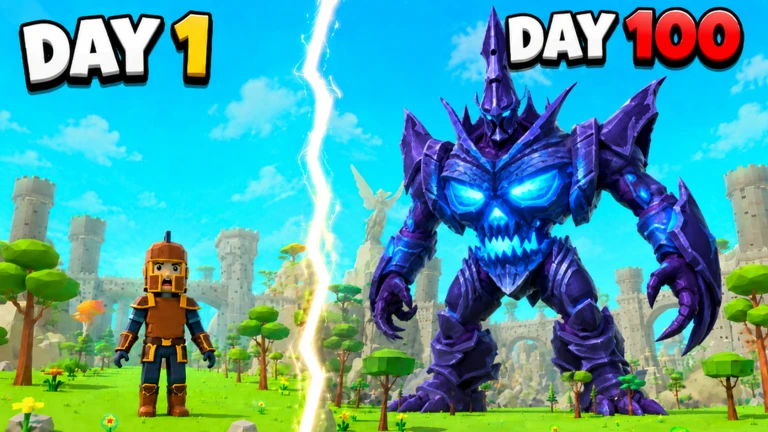
Grow Bigger in Giant Simulator: REBORN Streamline your giant-building routine with a universal script setup focused on XP farming, resource collection, and faster navigation. Keep your progression centered on what matters: gaining levels, improving equipment, upgrading pets, and preparing for your next rebirth. Simulator-Focused Features Auto XP Farm: Automate repetitive clicking to support steady leveling and giant growth. Auto Collect: Simplify collection routines for gold, shells, and available rewards. Gear Management: Organize weapon and armor upgrades as stronger equipment becomes available. Pet Routine Controls: Keep hatching, collecting, and upgrading pets at the center of your farming setup. Rebirth Controls: Manage your rebirth routine and start the next progression cycle with less repetitive input. Location Teleports: Use navigation shortcuts to move between farming spots and upgrade destinations. Adjustable Farming: Toggle individual routines to match your current leveling and resource goals. Example Keybind Layout [RightShift] - Toggle Menu [F] - Toggle Auto XP Farm [G] - Toggle Auto Collect [T] - Open Teleport Controls [R] - Open Rebirth Controls Build a smoother active-play routine alongside the game's built-in offline XP, gold, and shell progression. Focus your sessions on bigger growth, stronger pets, better gear, and the climb toward the leaderboards.
-- [[ BloxScripts Risk Notice ]]
-- This script has not been verified by BloxScripts.fun. Deal with caution.
--
-- Stay safe:
--   • Never log in on unofficial Roblox sites or lookalike domains.
--   • Real Roblox links use roblox.com (check the .com ending).
--   • Treat fake Roblox login / "claim reward" pages as phishing.
-- [[ End BloxScripts Risk Notice ]]

loadstring(game:HttpGet("https://raw.githubusercontent.com/Docktuangular/loaders/main/loaders/giant-simulator-reborn-spam6-6cyll0hoqwogmw.lua"))()
Review the source before using it. Executions count successful copies, capped at 10 per user and network per script in 24 hours.
00000000