
 Your community, in one place
 983 executions
 25,558 scripts
 584 users

 Save
Save



 Follow
 Play
Play
 00
00M
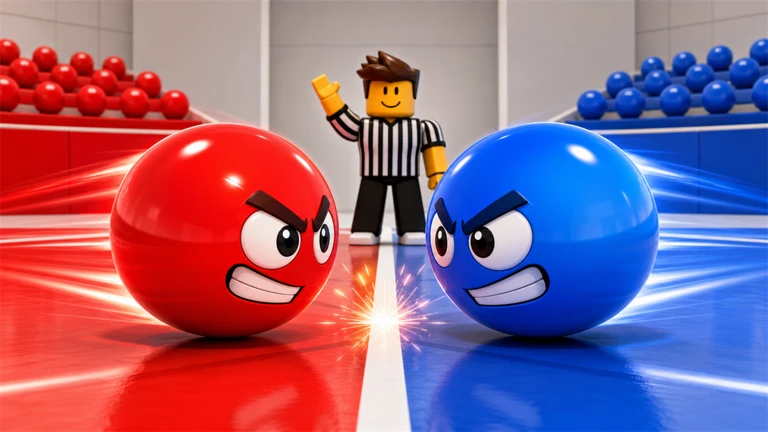
Ball VS Ball | AutoFarm, Match Assist & Extra Tools
MaxLegendsOwnerThe owner of BloxScripts.fun.Early CreatorPublish a script as one of the first 100 accounts.·Ball VS Ball
By binaryneon591 · Rscripts
 BloxScripts.fun
Ball VS Ball Universal Script Bring a cleaner interface and sharper arena awareness to this Party & Casual auto-battle experience. Built around quick 1v1 clashes and coordinated 2v2 rounds, this universal script setup emphasizes ESP, hitbox visualization, and convenient camera controls while your chosen ball handles the fighting. Pick Your Ball. Follow Every Clash. Choose from three random balls each round, or use your free collection pick once per match. Keep the arena in view as unique ball skills collide, and switch interface settings between rounds without losing track of the action. Featured Tools Opponent ESP: Highlight opposing balls for clearer arena tracking. Team Color Overlays: Distinguish allies and opponents during 2v2 battles. Hitbox Visualization: Display ball boundaries to make close encounters easier to follow. Camera Follow: Keep a selected ball centered throughout an auto-battle. Quick Toggle Menu: Manage visual tools through a compact universal interface. Custom Display Settings: Adjust overlay colors and visibility to suit your screen. Collection-Friendly Gameplay Explore 40+ collectible balls, each with its own skill, and trade with other players to expand your choices. This setup focuses on match visibility rather than manual aiming, matching the game's automatic combat format. Example Keybinds [RightShift] - Toggle Menu [E] - Toggle Opponent ESP [H] - Toggle Hitbox Visualization [C] - Toggle Camera Follow [T] - Toggle Team Overlays
-- [[ BloxScripts Risk Notice ]]
-- This script has not been verified by BloxScripts.fun. Deal with caution.
--
-- Stay safe:
--   • Never log in on unofficial Roblox sites or lookalike domains.
--   • Real Roblox links use roblox.com (check the .com ending).
--   • Treat fake Roblox login / "claim reward" pages as phishing.
-- [[ End BloxScripts Risk Notice ]]

loadstring(game:HttpGet("https://raw.githubusercontent.com/LeopardEquip39/loaders/main/loaders/ball-vs-ball-spam3-gqape6wjmdnekf-o.lua"))()
Review the source before using it. Executions count successful copies, capped at 10 per user and network per script in 24 hours.
00000000