M
ScriptKey System
Velox Hub: Player ESP, Map ESP, Auto Hack, Teleport & More
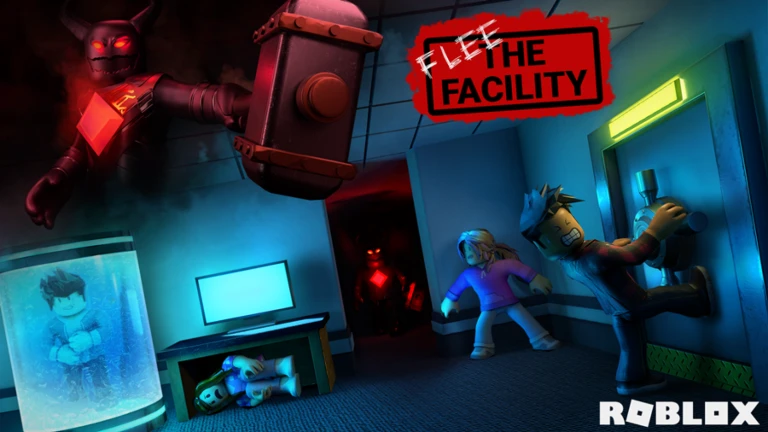
Flee the FacilityDesktop & mobile ready
Description
Flee the Facility — Marketing UI Descriptions ### Main About - Objective — A Lightweight Utility Hub For Flee The Facility, Designed To Keep Essential Gameplay Tools Organized And Easy To Access. - Local & Security — Designed With Local Execution And Script Protection In Mind. Security Depends On Your Execution Environment And How The Script Is Distributed. - Version Info — Script: V1.0 | UI Library: WindUI | Developer: Ovei - Join Discord — Copy The Discord Invite And Connect With The Community. Utility - Stay Active (Anti-AFK) — Help Prevent Inactivity-Related Kicks While The Feature Is Enabled. Server - Rejoin Server — Quickly Reconnect To Your Current Server. - Join Another Server — Switch To Another Public Server And Continue Playing. ### Visual Player ESP — Filter - Show Beasts — Highlight Players Identified As The Beast In Red. - Show Survivors — Highlight Players Identified As Survivors In Cyan. - Show Players — Highlight Players Whose Roles Have Not Been Confirmed In Gray. Player ESP — Overlays - 3D Collision Wireframes — Display 3D Wireframe Boxes Around Tracked Players. - Off-Screen Edge Arrows — Show Directional Arrows For Players Outside Your View. - Player Display Names — Use Display Names Instead Of Username Prefixes. - Render Distance — Customize The Maximum Distance For Player ESP In Studs. Map ESP - Computer ESP — Highlight Computers By Status: Blue For Incomplete And Green For Complete. - Freeze Pod ESP — Highlight Freeze Pods In Cyan For Easier Identification. - Exit Door ESP — Highlight Exit Doors In Yellow For Easier Navigation. - Closet / Locker ESP — Highlight Hiding Spots In Brown. - Air Vent ESP — Highlight Air Vents In Gray. ### Combat Minigame - Anti-Fail / Auto Hack — Automate Supported Minigame Inputs To Help Reduce Failed Attempts. ### Teleport Quick Travel - Teleport To Available Computer — Quickly Travel To The Nearest Incomplete Computer. - Teleport To Nearest Closet — Move Directly To The Closest Hiding Spot. - Teleport To Exit — Quickly Reach The Nearest Exit Door. - Teleport To Freeze Pod — Move Directly To The Nearest Freeze Pod. ### Settings Appearance - UI Theme — Personalize The Menu With Your Preferred Color Scheme. Configuration - Reset To Defaults — Restore UI Elements To Their Default Settings. ### Notifications - Teleport — Moved To Computer. - None Left — Every Computer Is Already Complete. - Teleport — Moved To Hiding Spot. - Not Found — No Hiding Spots In This Map. - Teleport — Moved To Exit. - Teleport — Moved To Freeze Pod. - Reset — Re-Execute The Script To Fully Reset. - Discord — Invite Copied To Clipboard! - Discord Copy — This Link: https://discord.gg/duXxnUp4Vq - Loaded Successfully — Flee The Facility V1.0 Loaded Successfully
GAMEFlee the Facility
UPDATEDOct 13, 2026
ACCESSKey System
PLATFORMDesktop & Mobile
Script source Luau
-- [[ BloxScripts Risk Notice ]]
-- This script has not been verified by BloxScripts.fun. Deal with caution.
--
-- Stay safe:
-- • Never log in on unofficial Roblox sites or lookalike domains.
-- • Real Roblox links use roblox.com (check the .com ending).
-- • Treat fake Roblox login / "claim reward" pages as phishing.
-- [[ End BloxScripts Risk Notice ]]
loadstring(game:HttpGet("https://api.jnkie.com/api/v1/luascripts/public/f0b3ce85f588800ae7e46415fc4dd79ff2b0d09c9b6a8e19cea8a67b47f1bcbd/download"))()Review the source before using it. Executions count successful copies, capped at 10 per user and network per script in 24 hours.
Community discussion
0Start the conversation.


Your community, in one place