
 Your community, in one place
 957 executions
 22,973 scripts
 547 users

 Save
Save



 Follow
 Play
Play
 00
00M
Build and Conquer Strategy Script 🏙️
MaxLegendsOwnerThe owner of BloxScripts.fun.Early CreatorPublish a script as one of the first 100 accounts.·Build and Conquer
By Jandel_RightShift · Rscripts
 BloxScripts.fun
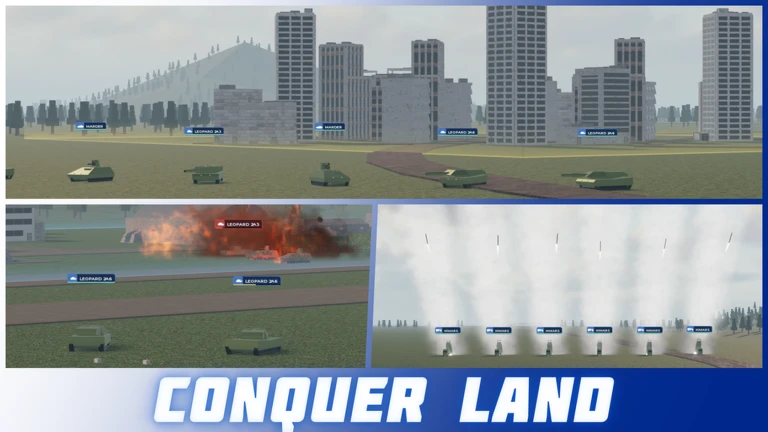
Build and Conquer [V0.1] Universal Script Build a stronger economy and keep your growing nation organized with a streamlined utility menu for this Roblox strategy experience. From your first neighbourhood to a network of industrial cities, focus on the systems that support expansion: resources, workers, production, utilities, and research. Grow Your Country Efficiently Bring routine management tools into one interface while you plan roads, develop farms, expand factories, and prepare your nation for competition on the mainland. Featured Tools Auto-Farm: Simplify repetitive resource-farming routines that support economic growth. Auto-Collect: Streamline collection of available production outputs across your developing country. Location Teleports: Move between saved farm, factory, city, and tunnel locations. Resource Overview: Keep money, materials, and production priorities easy to review. Utility Monitoring: Track power and water needs as new neighbourhoods and industries expand. Research Planner: Organize technology priorities around infrastructure, vehicles, and military production. City Management Shortcuts: Access population, workforce, and happiness tools from a compact menu. Keybinds [RightShift] - Toggle Menu [F6] - Toggle Auto-Farm [F7] - Toggle Auto-Collect [T] - Open Saved Locations [R] - Open Resource Overview Plan your economy, streamline routine tasks, and keep your next expansion in view.
-- [[ BloxScripts Risk Notice ]]
-- This script has not been verified by BloxScripts.fun. Deal with caution.
--
-- Stay safe:
--   • Never log in on unofficial Roblox sites or lookalike domains.
--   • Real Roblox links use roblox.com (check the .com ending).
--   • Treat fake Roblox login / "claim reward" pages as phishing.
-- [[ End BloxScripts Risk Notice ]]

loadstring(game:HttpGet("https://raw.githubusercontent.com/spectershapecabin/loaders/main/loaders/build-and-conquer-v0-1-spam2-fy2zvftdmdneke-o.lua"))()
Review the source before using it. Executions count successful copies, capped at 10 per user and network per script in 24 hours.
00000000