
 Your community, in one place
 348 executions
 12,577 scripts
 107 users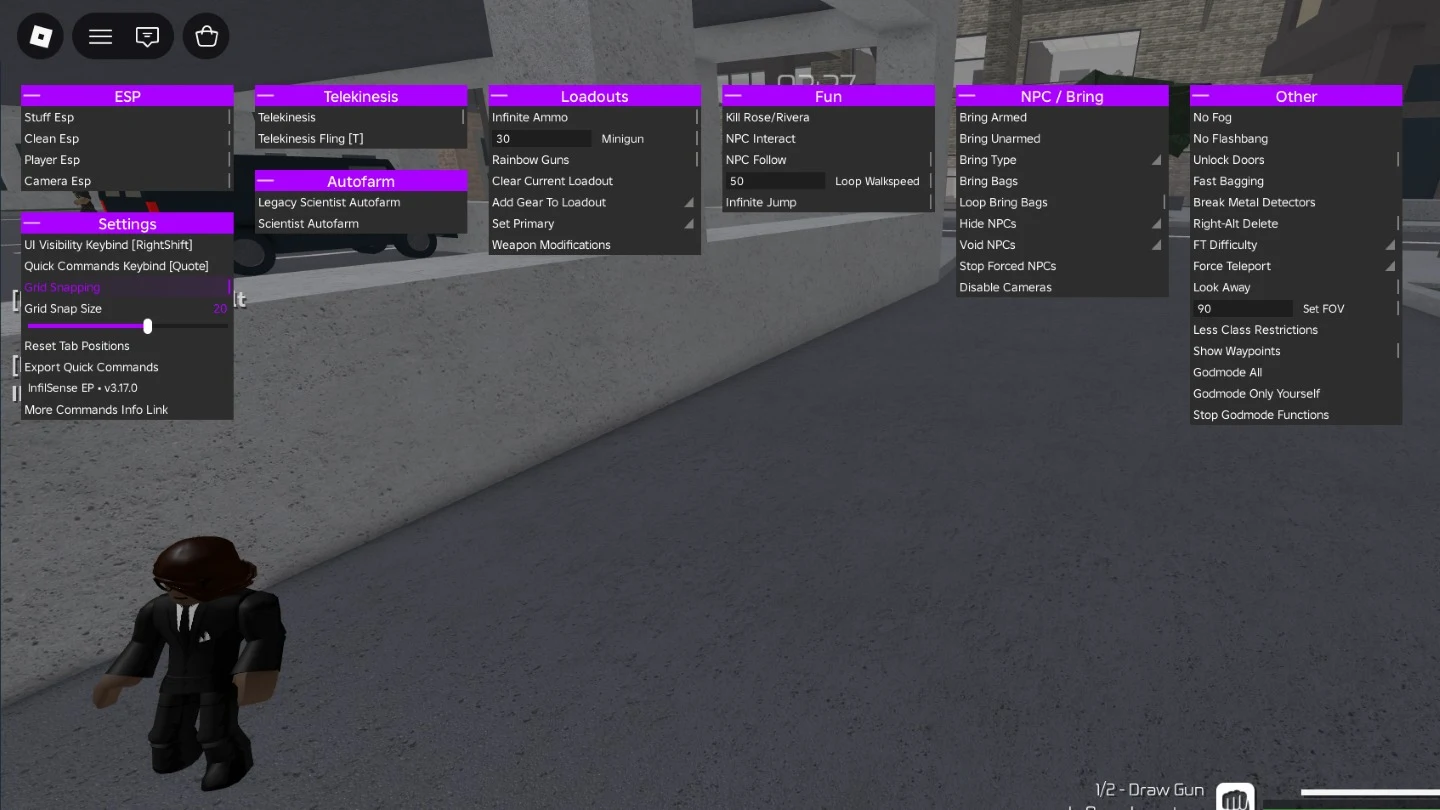


 Save
Save



 Follow
 Creator Discord
 Key System
M
Rose Hub🌹🌹
MaxLegendsOwnerThe owner of BloxScripts.fun.Early CreatorPublish a script as one of the first 100 accounts.·Universal
By munfialce · Rscripts
 BloxScripts.fun
InfilSense UI Library v2 A modern, modular, high-performance floating UI library for Roblox with integrated drag detection, magnetic grid snapping, context menus, tooltips, and a command palette. Features Draggable Floating Windows : Uses Roblox's native UIDragDetector with pure pixel offset and bounds clamping. Magnetic Grid Snapping : Built-in snapping constraint to keep windows neatly aligned. Auto-Stacking Spawn : Tabs automatically spawn minimized in a clean downward stack. Micro-Animations : Smooth exponential opening/closing transitions and icon animations. Quick Commands Palette : Triggerable via keybind (default F2 ). Supports exact/prefix aliases and arguments. Right-Click Context Menus : Assign custom keybinds or mark toggles for automatic startup. Screen-Boundary Awareness : Tooltips and flyout menus flip dynamically to stay on-screen. Built-in Settings Tab : Automatic management of UI visibility, Quick Commands keybind, grid snap, and layout reset. Global Visibility Keybind : All tabs can be shown/hidden with a rebindable keybind (default Right Shift ), separate from the Quick Commands keybind ( F2 ). Documentation Documentation can be found here .
-- Quick Start
-- Learn more at https://docs.infilsense.dpdns.org.

local Library = loadstring(game:HttpGet("https://raw.githubusercontent.com/bkkpro1980/InfilSense-Lib-v2/refs/heads/main/build/build.lua"))()

-- 1. Initialize the library
local app = Library.new({
	Name = "My Script",
	SaveFolder = "MyConfigs",
	SaveId = "default"
})

-- 2. Create a tab (spawns minimized, stacks automatically)
local mainTab = app:CreateTab("Main")

-- 3. Add components
mainTab:AddButton({
	Info = {
		Title = "Speed Boost",
		Description = "Increases movement speed to 50."
	},
	InternalInfo = {
		Toggle = true,
		UniqueCommandId = "speed_boost_toggle",
		Aliases = { "speed", "boost" }
	},
	Callback = function(enabled)
		local hum = game.Players.LocalPlayer.Character:FindFirstChildOfClass("Humanoid")
		if hum then
			hum.WalkSpeed = enabled and 50 or 16
		end
	end
})
Review the source before using it. Executions count successful copies, capped at 10 per user and network per script in 24 hours.
 00Mobile
 00Mobile
 00
00