


 Your community, in one place
 354 executions
 12,812 scripts
 115 users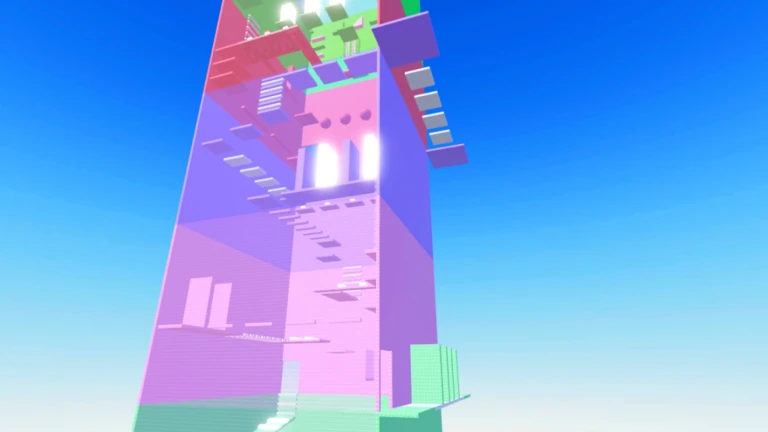


 Save
Save
ScriptKeyless
Teleport,teleport to me
Slap Tower 🖐️M Follow
MaxLegendsOwnerThe owner of BloxScripts.fun.Early CreatorPublish a script as one of the first 100 accounts.ContributorPublish your first script.
· 0 followers


 Follow
 Play
PlayDesktop compatibleDelta

Description
Teleporter tool keyless Teleport to player Teleport to me !!
GAMESlap Tower 🖐️
UPDATEDOct 10, 2026
ACCESSKeyless
PLATFORMDesktop
Script source Luau
-- [[ BloxScripts Risk Notice ]]
-- This script has not been verified by BloxScripts.fun. Deal with caution.
--
-- Stay safe:
--   • Never log in on unofficial Roblox sites or lookalike domains.
--   • Real Roblox links use roblox.com (check the .com ending).
--   • Treat fake Roblox login / "claim reward" pages as phishing.
-- [[ End BloxScripts Risk Notice ]]

-- تحميل مكتبة Orion
local OrionLib = loadstring(game:HttpGet(('https://githubusercontent.com')))()

-- إنشاء النافذة الرئيسية
local Window = OrionLib:MakeWindow({
    Name = "Delta Teleport Hub",
    HidePremium = true,
    SaveConfig = false,
    ConfigFolder = "DeltaTPConfig"
})

-- إنشاء تبويب الانتقال
local TPTab = Window:MakeTab({
    Name = "Teleport",
    Icon = "rbxassetid://4483345998",
    PremiumOnly = false
})

-- متغيرات لتخزين اسم اللاعب المختار واسماء اللاعبين في السيرفر
local SelectedPlayer = ""
local PlayerList = {}

-- وظيفة لتحديث قائمة اللاعبين في السيرفر تلقائياً
local function RefreshPlayers()
    PlayerList = {}
    for _, v in pairs(game.Players:GetPlayers()) do
        if v ~= game.Players.LocalPlayer then
            table.insert(PlayerList, v.Name)
        end
    end
end

-- تشغيل التحديث الأول للقائمة
RefreshPlayers()

-- 1. قائمة اختيار اللاعبين (تتحدث تلقائياً)
local PlayerDropdown = TPTab:AddDropdown({
    Name = "Select Player (اختر اللاعب)",
    Default = "None",
    Options = PlayerList,
    Callback = function(Value)
        SelectedPlayer = Value
    end
})

-- زر تحديث قائمة الأسماء يدوياً إذا دخل شخص جديد
TPTab:AddButton({
    Name = "🔄 Refresh Player List (تحديث قائمة الأسماء)",
    Callback = function()
        RefreshPlayers()
        PlayerDropdown:Refresh(PlayerList, true)
    end
})

-- 2. الزر الأول: الانتقال إلى اللاعب المختار (Teleport To)
TPTab:AddButton({
    Name = "➡️ Teleport to Selected Player",
    Callback = function()
        if SelectedPlayer ~= "" and SelectedPlayer ~= "None" then
            pcall(function()
                local targetChar = game.Players:FindFirstChild(SelectedPlayer).Character
                local localChar = game.Players.LocalPlayer.Character
                if targetChar and localChar then
                    localChar:FindFirstChild("HumanoidRootPart").CFrame = targetChar:FindFirstChild("HumanoidRootPart").CFrame
                    OrionLib:MakeNotification({Name = "Success", Content = "Teleported to " .. SelectedPlayer, Time = 2})
                end
            end)
        else
            OrionLib:MakeNotification({Name = "Error", Content = "Please select a player first!", Time = 2})
        end
    end
})

-- 3. الزر الثاني: جلب اللاعب المختار إليك (Teleport To Me)
-- ملاحظة: تعمل إذا كانت فيزيائيات اللعبة تسمح بالتحكم في الأدوات أو الصفع
TPTab:AddButton({
    Name = "⬅️ Teleport Selected Player to Me",
    Callback = function()
        if SelectedPlayer ~= "" and SelectedPlayer ~= "None" then
            pcall(function()
                local targetChar = game.Players:FindFirstChild(SelectedPlayer).Character
                local localChar = game.Players.LocalPlayer.Character
                if targetChar and localChar then
                    -- محاولة جلب فيزيائيات اللاعب المختار إلى موقعك
                    targetChar:FindFirstChild("HumanoidRootPart").CFrame = localChar:FindFirstChild("HumanoidRootPart").CFrame + Vector3.new(0, 2, 0)
                    OrionLib:MakeNotification({Name = "Success", Content = "Brought " .. SelectedPlayer .. " to you!", Time = 2})
                end
            end)
        else
            OrionLib:MakeNotification({Name = "Error", Content = "Please select a player first!", Time = 2})
        end
    end
})

-- تشغيل الواجهة
OrionLib:Init()
Review the source before using it. Executions count successful copies, capped at 10 per user and network per script in 24 hours.
Community discussion
0Start the conversation.